Remote Build Trigger of Jenkins Jobs

How to use an API request to build your Jenkins jobs with authentication.
Jenkins is a powerful, free and open-source software which aids in automating the parts of building, deployment and testing of an application.
Jenkins is used heavily in companies as it is such a popular CI/CD tool. Jenkins provides a number of functionalities, however, what we are going to focus today on is Jenkins builds.
Jenkins builds can be triggered in a couple of ways one popular way is when we push code to a git-hub repository, today we are going to see how to initiate a Jenkins build trigger by sending a request to our Jenkins server using python.
Step 1: Log in to your Jenkins Server.
In my case, I have configured Jenkins in my localhost system.
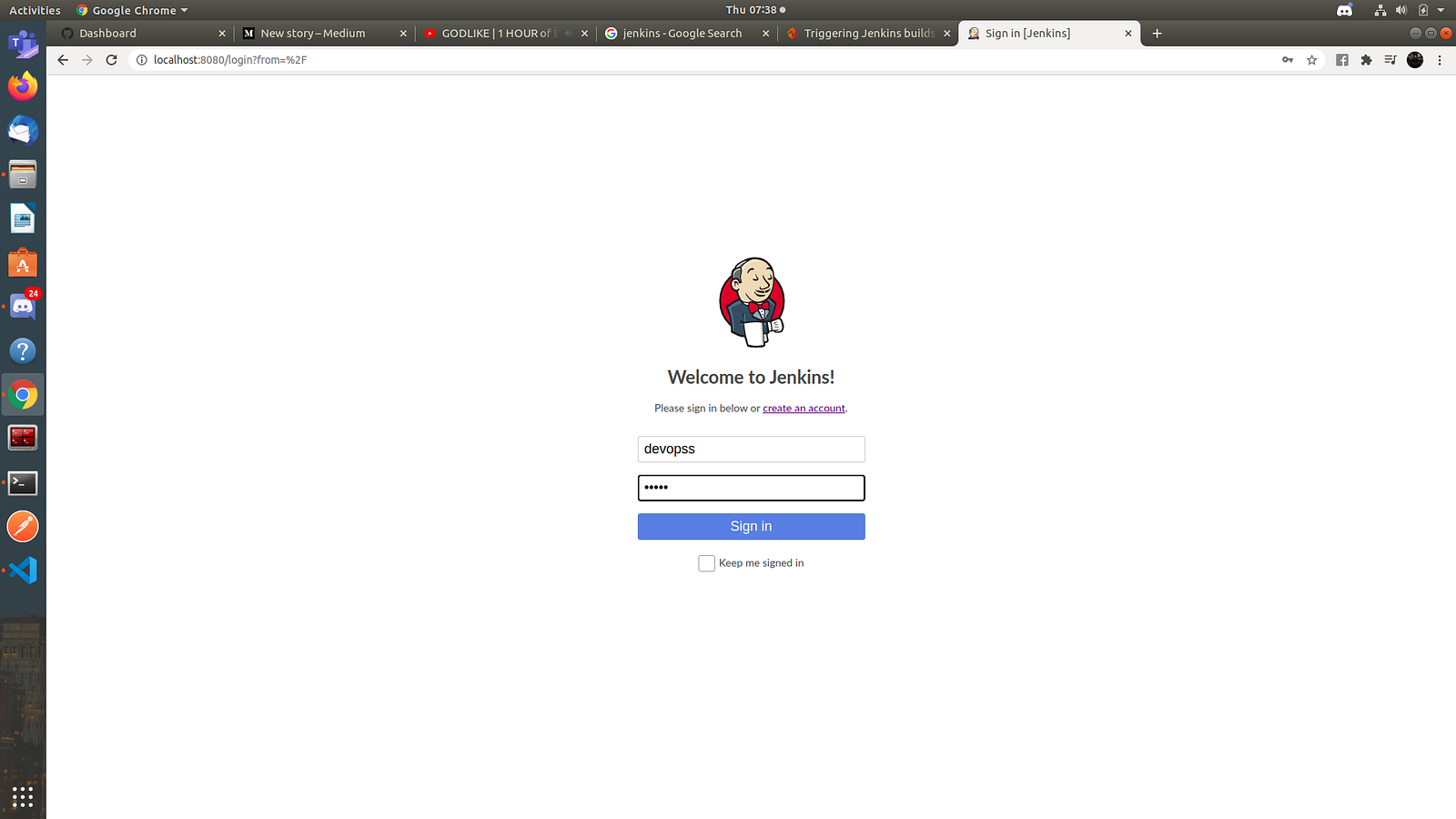
User: DevOps login to Jenkins Server
Step 2: Create a unique token for your user.
Head over to Jenkins → { your user } -> Configure and create a new API Token.
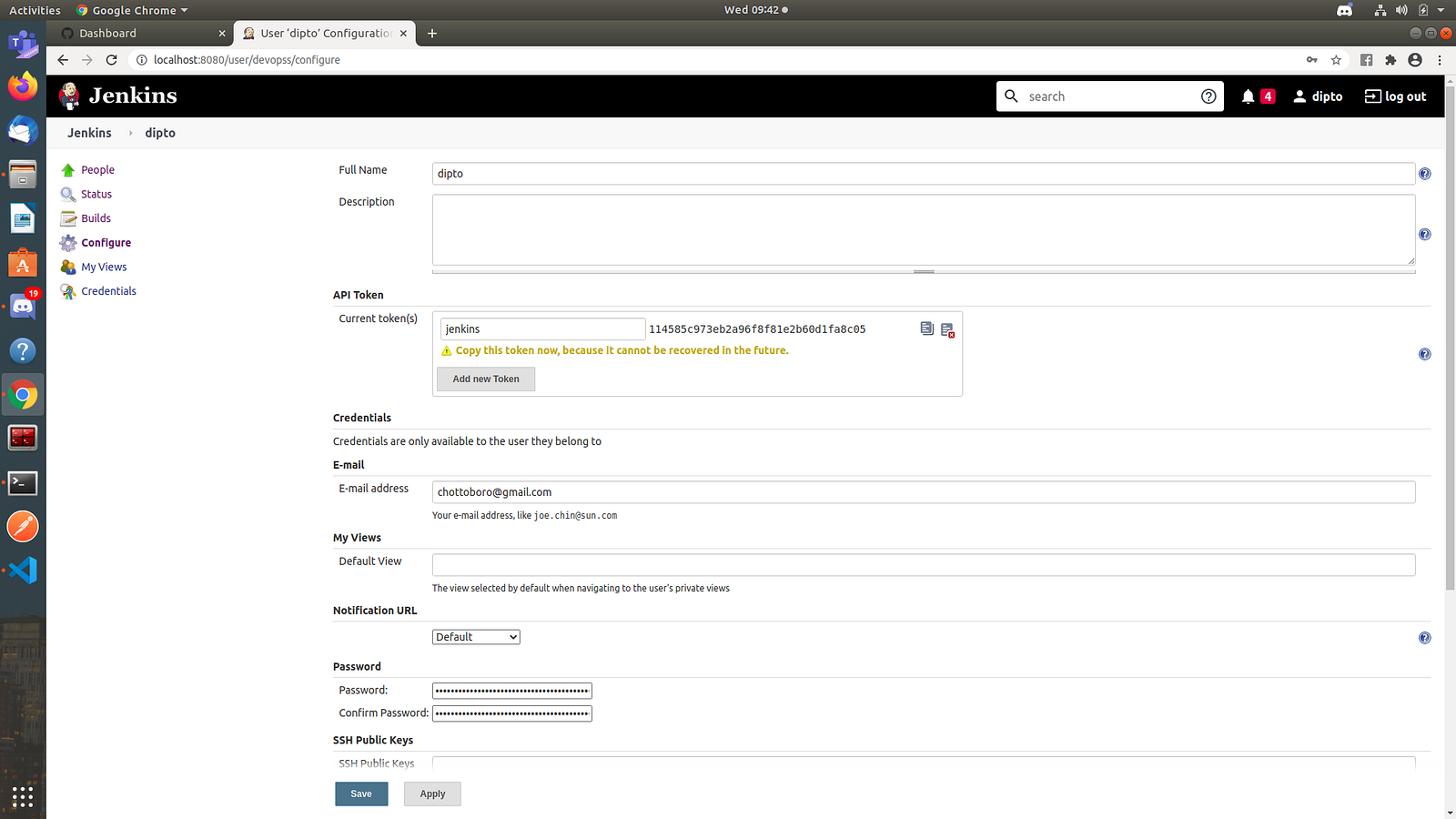
API Token
This API token can only be used by that particular user, make sure to note down the token as it cannot be viewed later on.
Step 3: Configure Job.
Let's start configuring the job now, to keep it simple we will be running a bash script which will take parameterised inputs and write it to a file.
First, enter the parameters.
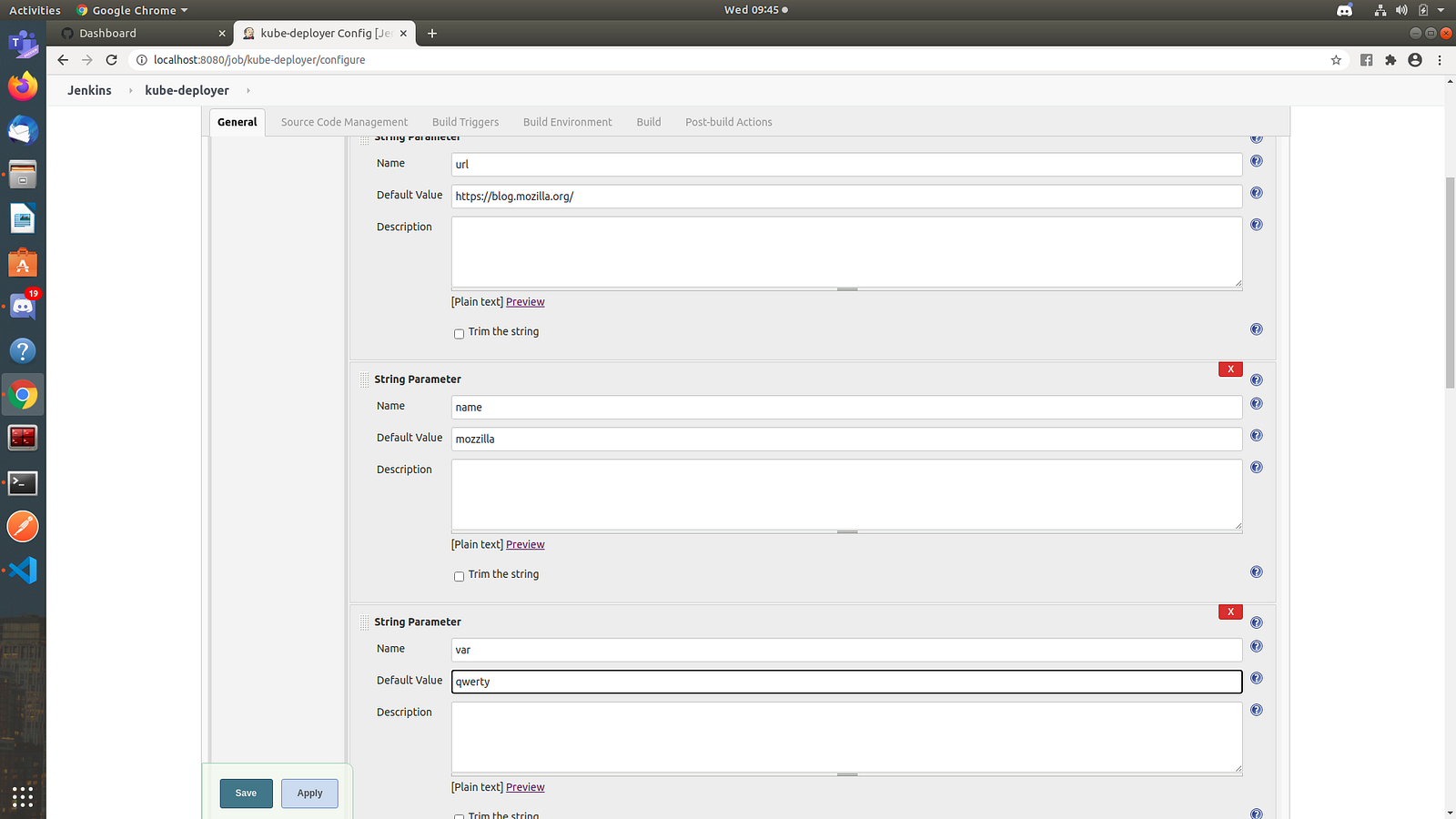
The main parameters required
Next, we write the bash script we want to run which takes the parameters and writes it to a file in /tmp/sample.txt
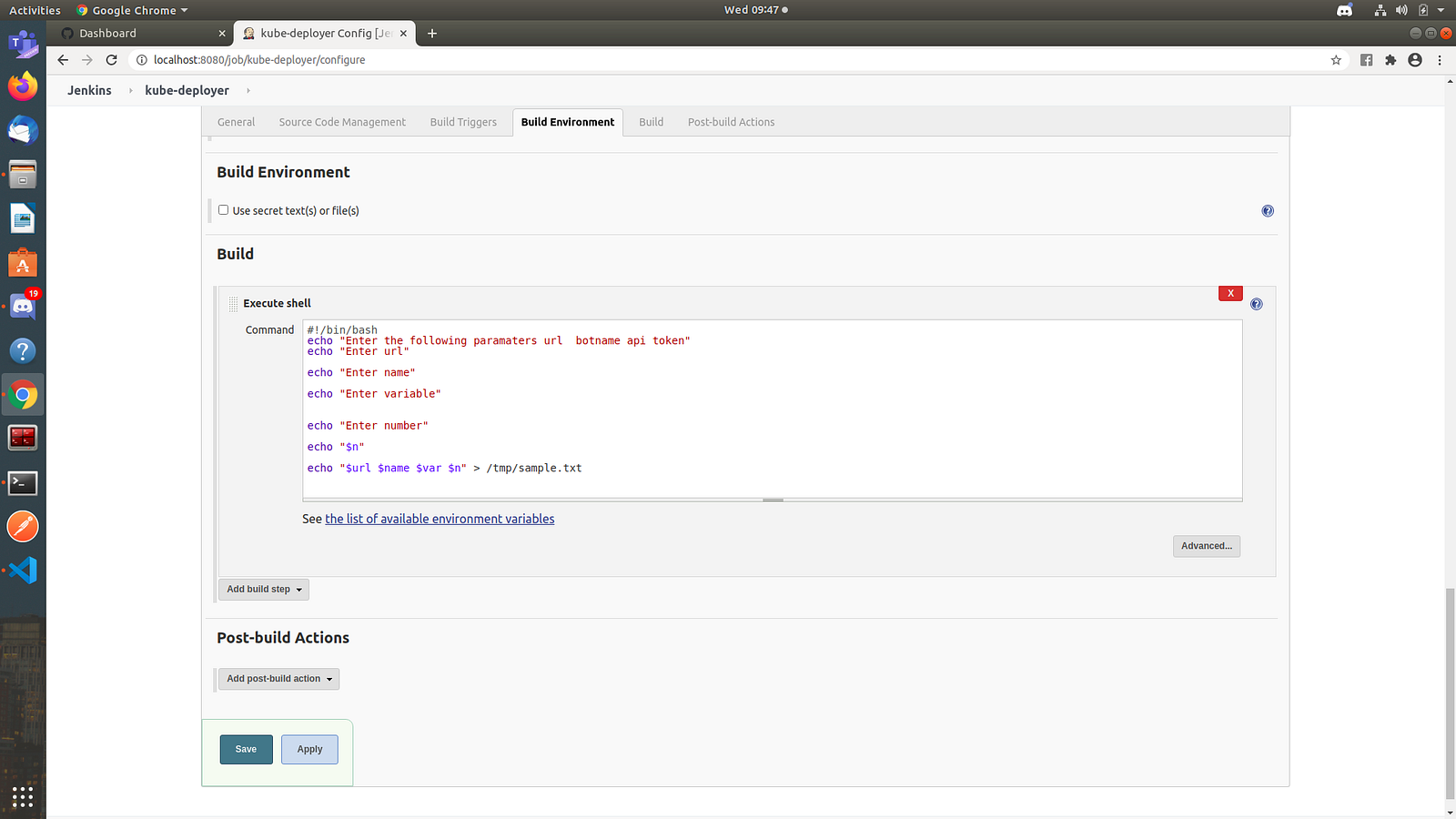
The main bash code
Step 4: Get a unique token for the job.
To trigger builds remotely Jenkins under Build Trigger provides an option called Trigger Builds Remotely through which a URL can be set to trigger the builds, this token can be set manually by the user.
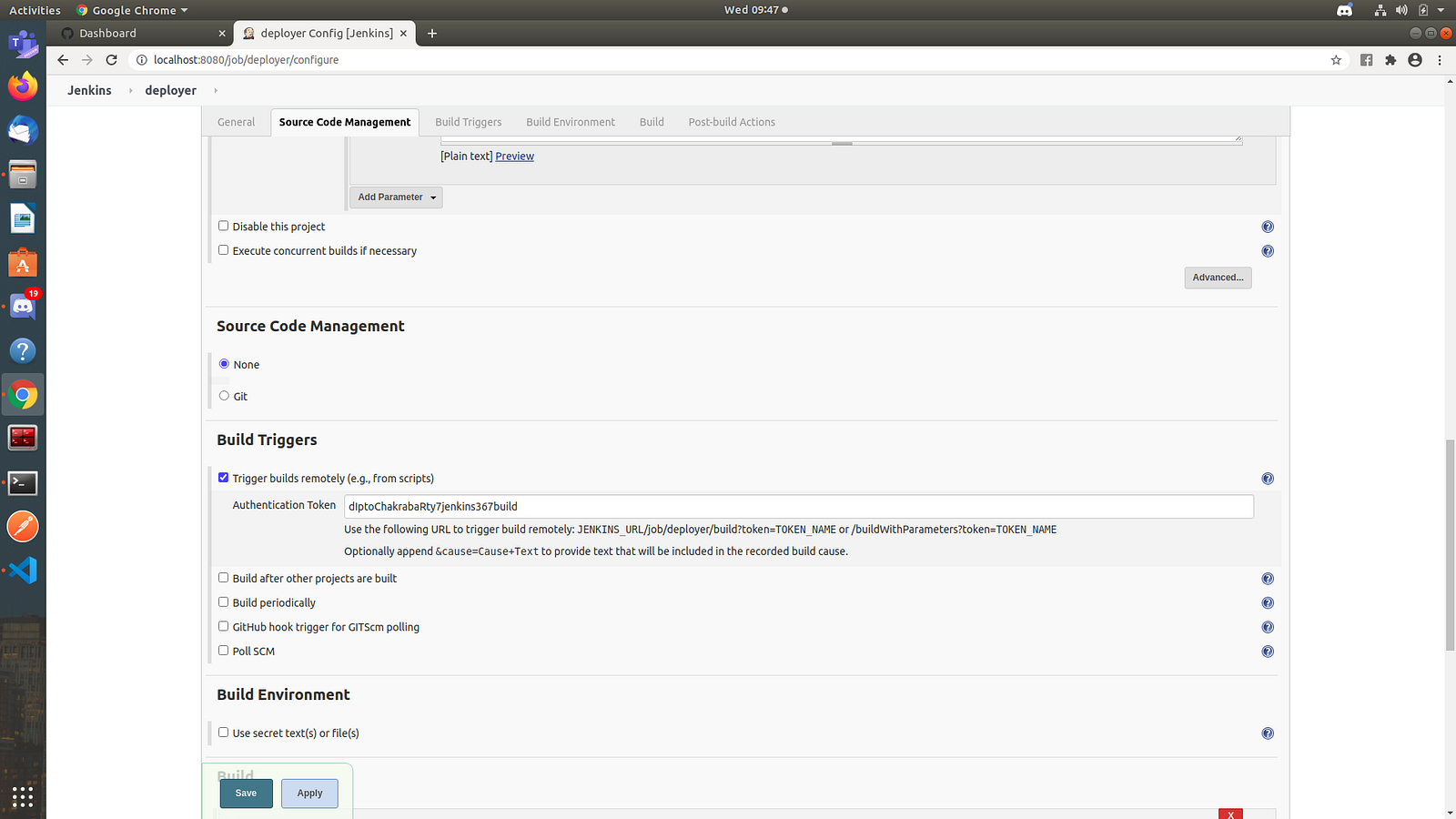
Set Jenkins Job token
If the option of build trigger remotely is not available you have to enable a plugin Authentication Tokens API Plugin and also in user settings enable this option under manage Jenkins -> configure global security.
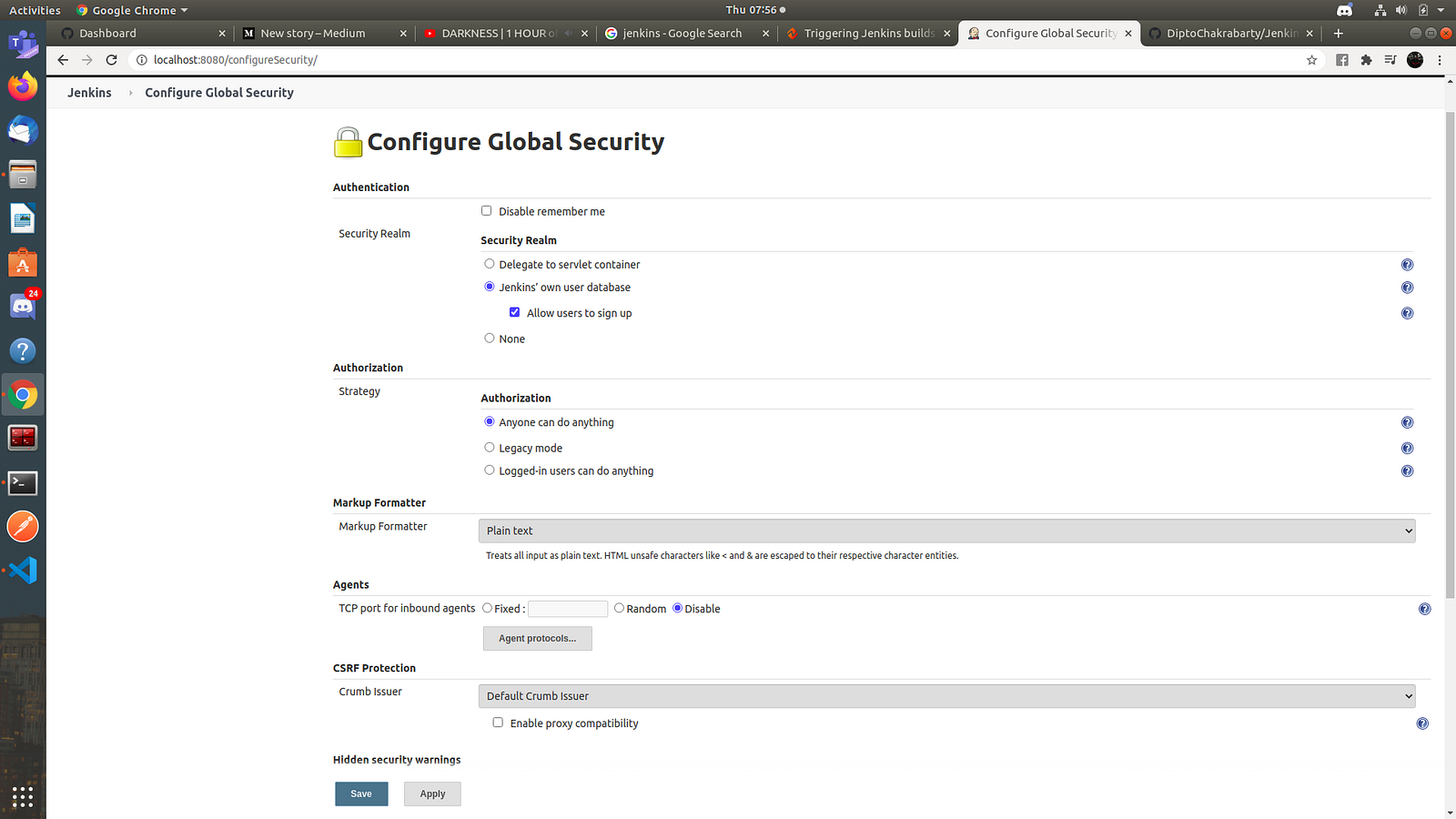
Set security realm
Step 5: Python Script
The URL where we will be sending our request will be something like this:
URL = {jenkins-server}/job/{job-name}/buildWithParameters?token={job-token}
and the unique user's tokens are stored in a tuple.
auth = ( {username} , {user-token}
we use the python requests package to send a get request to the URL storing the parameters we want to pass in a params dictionary.
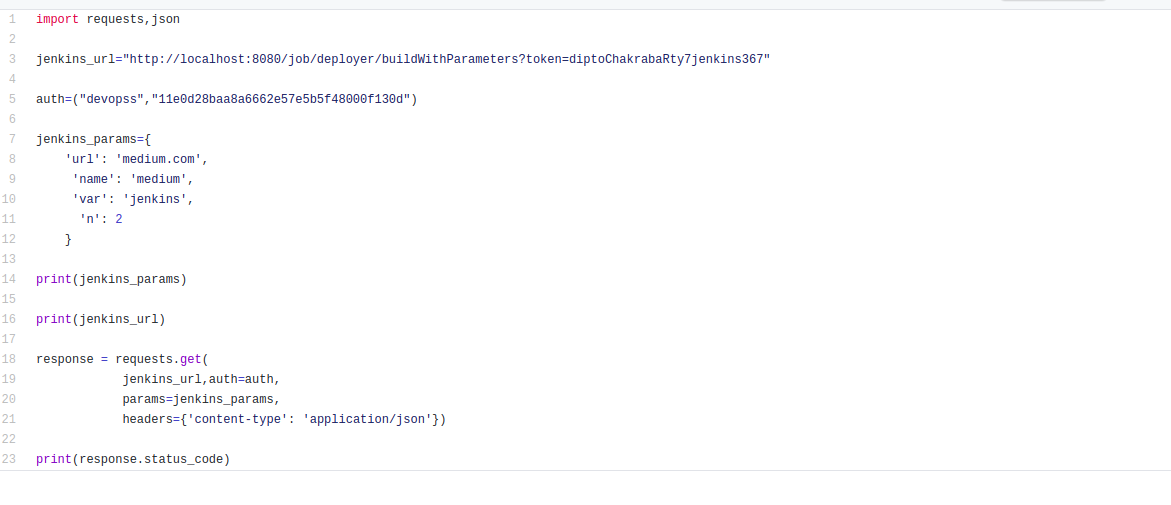
Python code
The jenkins_params holds the parameters we need in JSON format, headers used is content-type: application/JSON
Execute the python script and your job must run successfully returning a status code of 201.
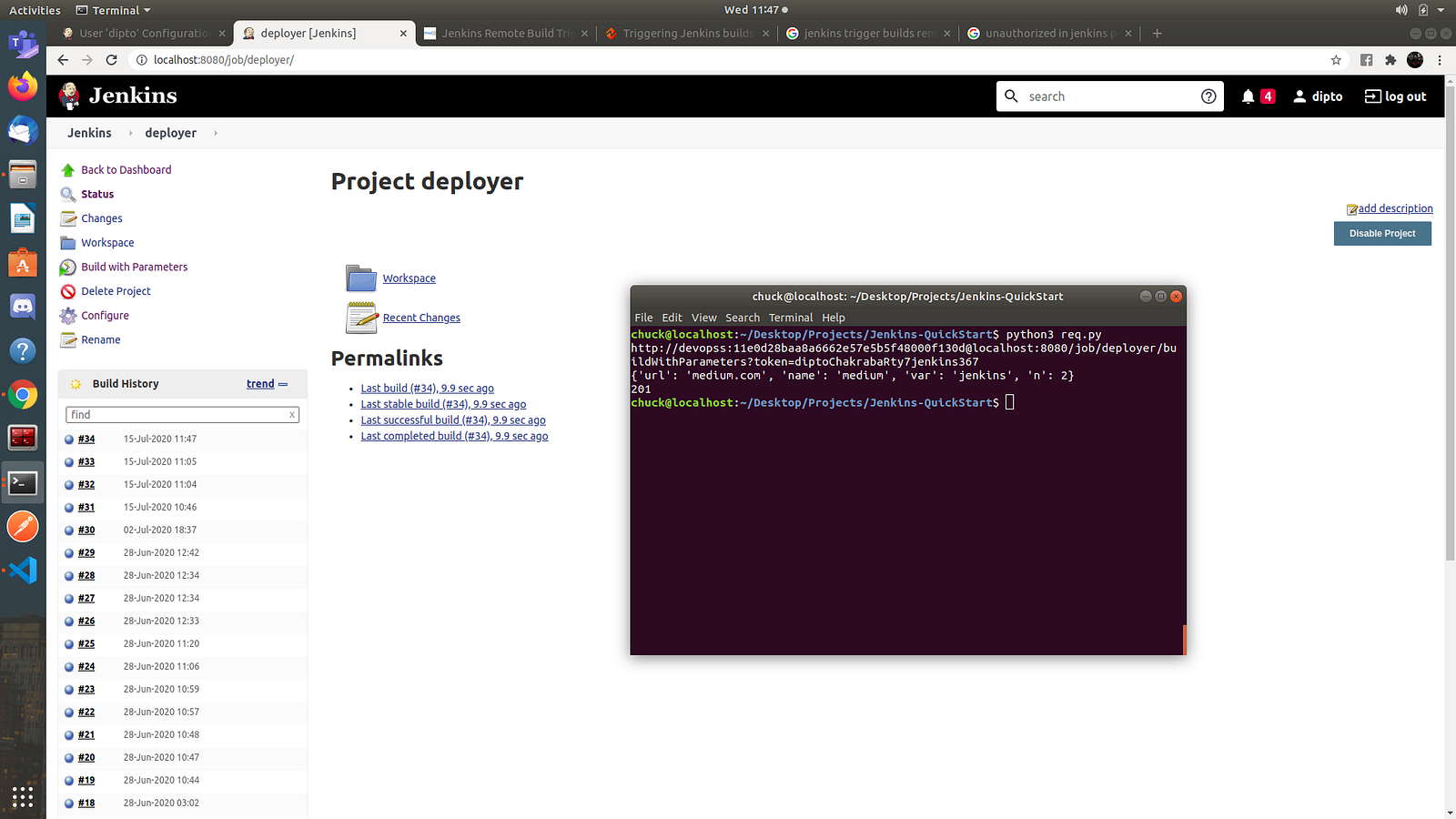
printing the URL and params
Check the console output of the job and also your file at /tmp/sample.txt
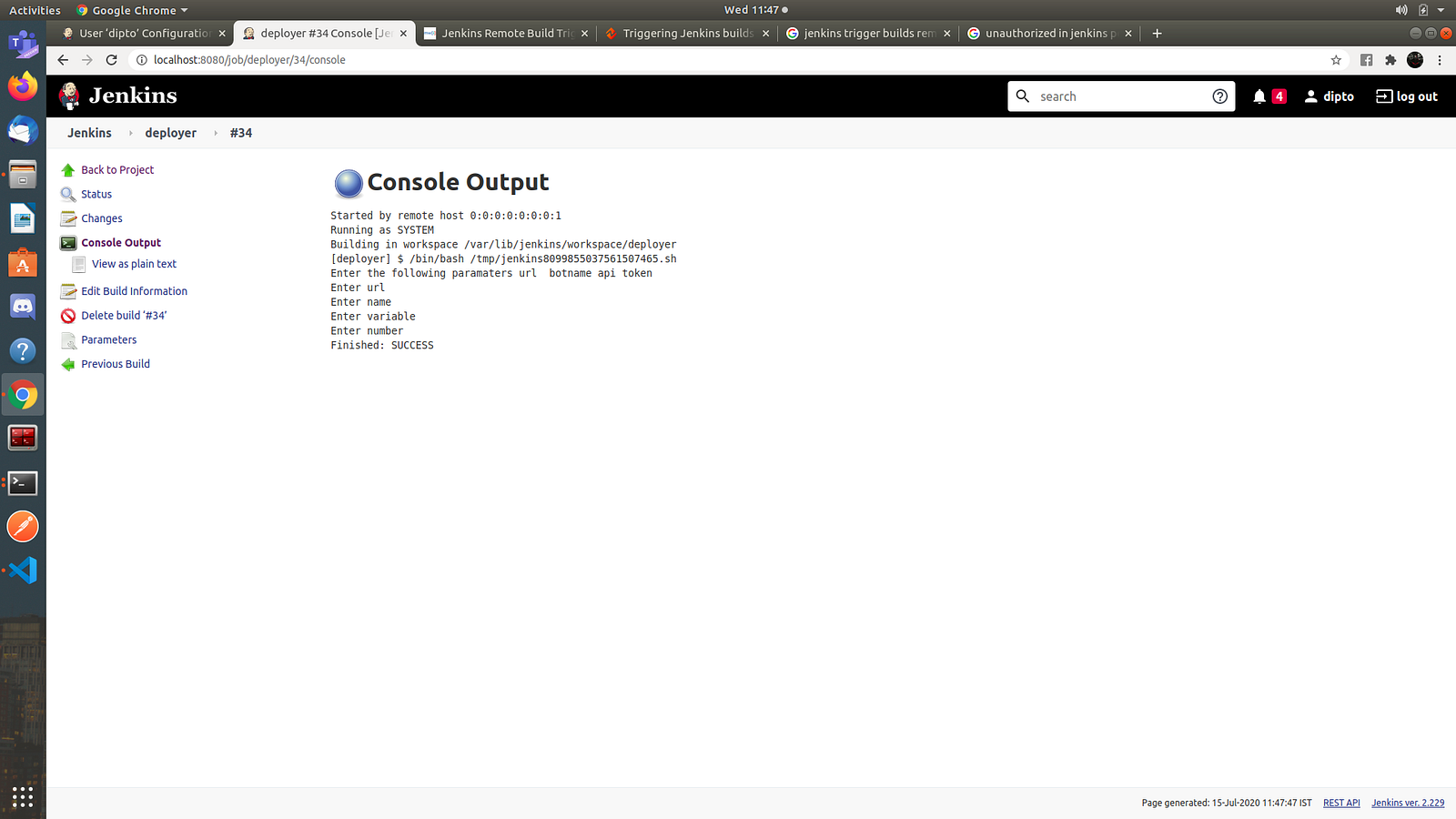
Successfully executed
The scripts can be found in this repository https://github.com/DiptoChakrabarty/Jenkins-QuickStart
This was just a small sneak peek into what Jenkins is and how to initiate a Jenkins build trigger by sending a request to our Jenkins server.
Feel free to respond to this blog below for any doubts and clarifications.